Internal Diabolocom

Release notes for Diabolocom internal staff

Subscribe to updates
© 2025 Internal Diabolocom
Jul 16, 2024

Release 2024.7.1

Audio encryption is now enabled by default.
Once a file is received on our platform, a unique encryption key is generated and the file is encrypted and stored securely

  • File is decrypted on demand by our distributed inference system while transcribing the audio
  • File is decrypted on demand via API or Interface (frontend) when audio needs to be retrieved
Jul 16, 2024

Release 2024.7.1

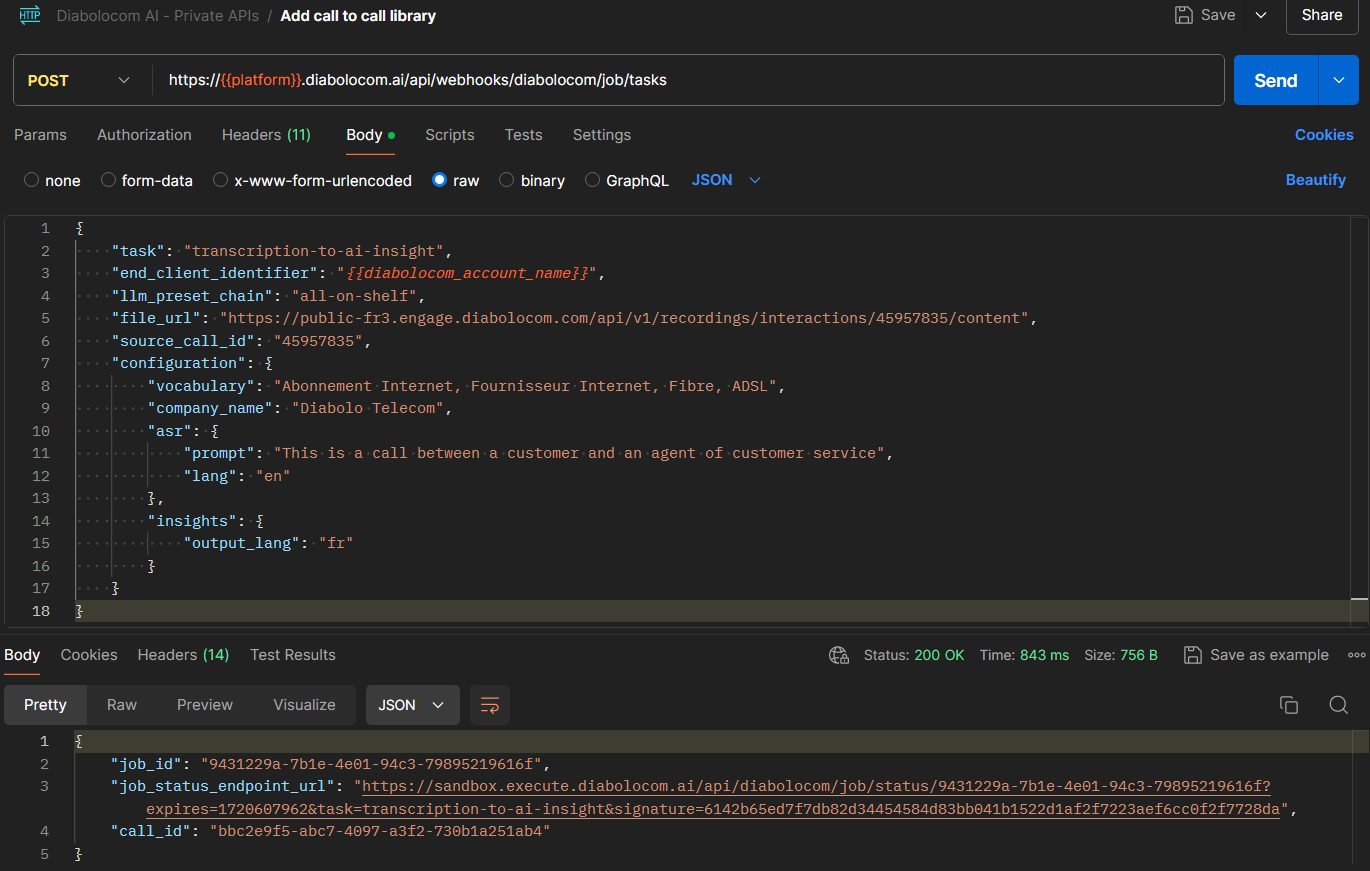
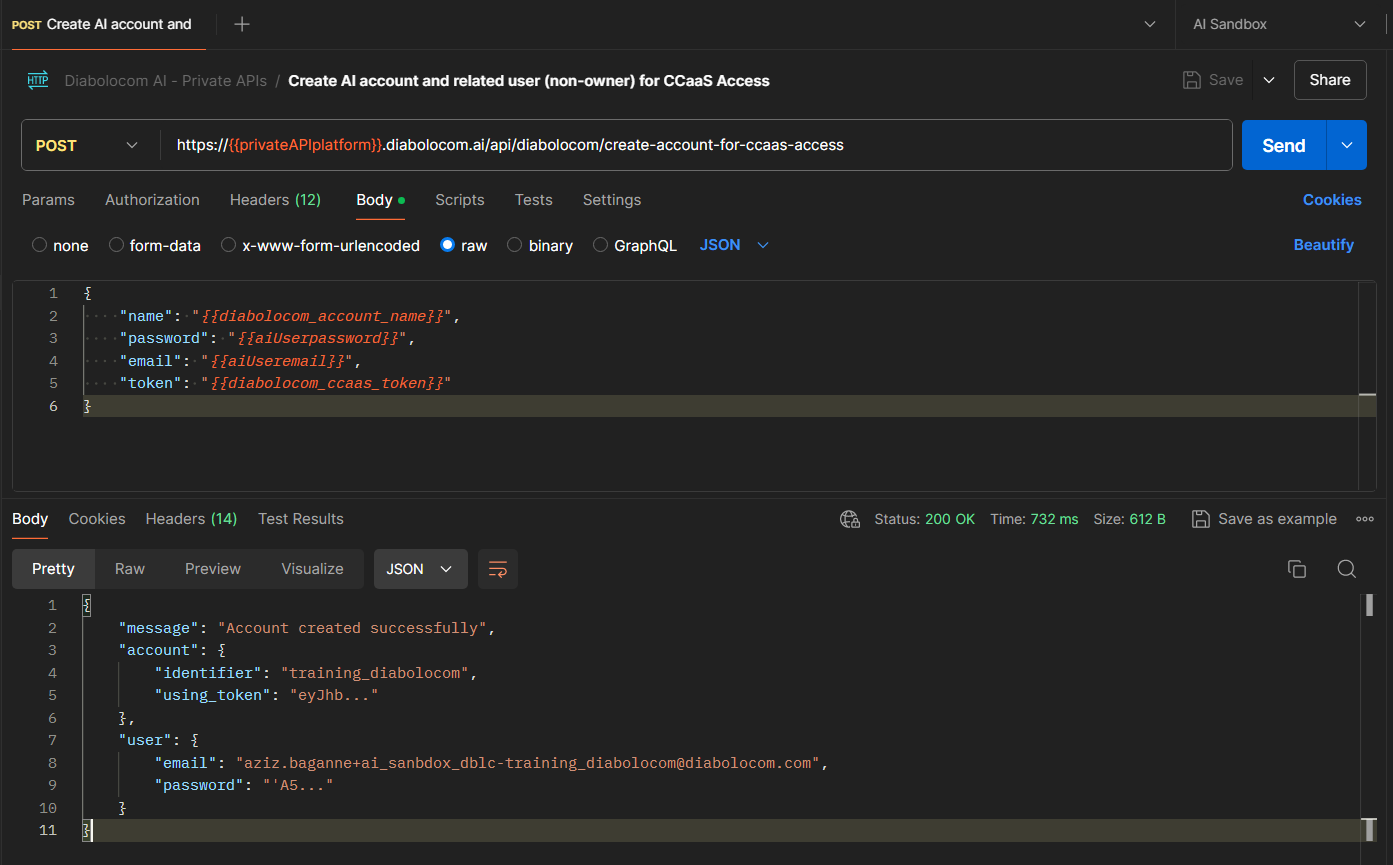
A private API allows Projects/Accounts/Sales to create AI enterprise accounts linked to Diabolocom CCaaS accounts, with a related user (that can access app.diabolocom.ai, test models on it, create API keys, make requests via API).
It allows to use it for non native API requests (IVR WebService block for instance) by using the account identifier as end_client_identifier, and the related user can access results in the call library.

It makes onboarding of customers/pilots/testing easier for Diabolocom team as it doesn't require any action from AI team.

Check the Clickup documentation for this new private API

Check the Clickup documentation for the overview of all available private APIs (Internal Use Only)

Example request of new private API
Jul 16, 2024

Release 2024.7.1

Non native request from CCaaS using private API (with X-DBLC-PHEDONE-KEY header) are now linked with an account by specifying only end_client_identifier parameter.

The parameter call_recording_token_identifier is no longer needed, and thus should not be used.

Example request using private API, with specifying only end_client_identifier
Jul 16, 2024

Release 2024.7.1

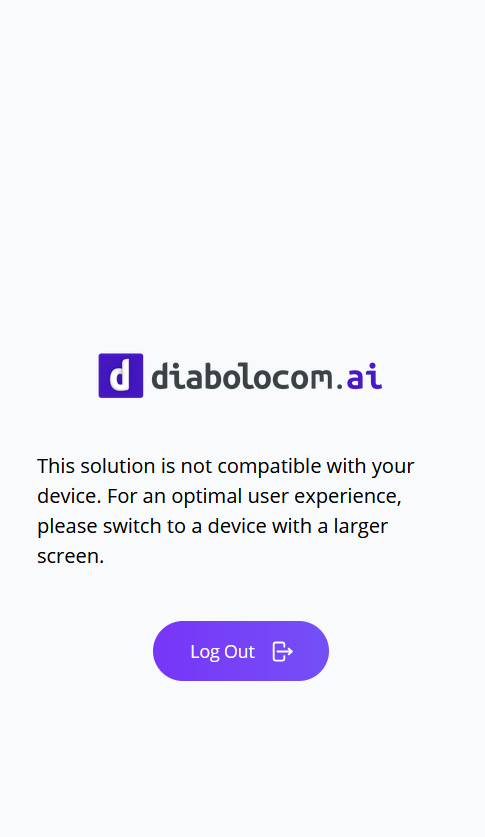
The minimum compatible screen width supported by the AI Solution is 800px.
For a better user experience, a clear notice is now displayed when using small screens.

Notice on Iphone screen after successful login
Jul 16, 2024

Release 2024.7.1

Stripe customer portal was displaying in browser language that is not related to AI Solution user language.

User language is now used when displaying Stripe customer portal : new subscription, updating billing info, viewing past invoices...

Jul 16, 2024

Release 2024.7.1

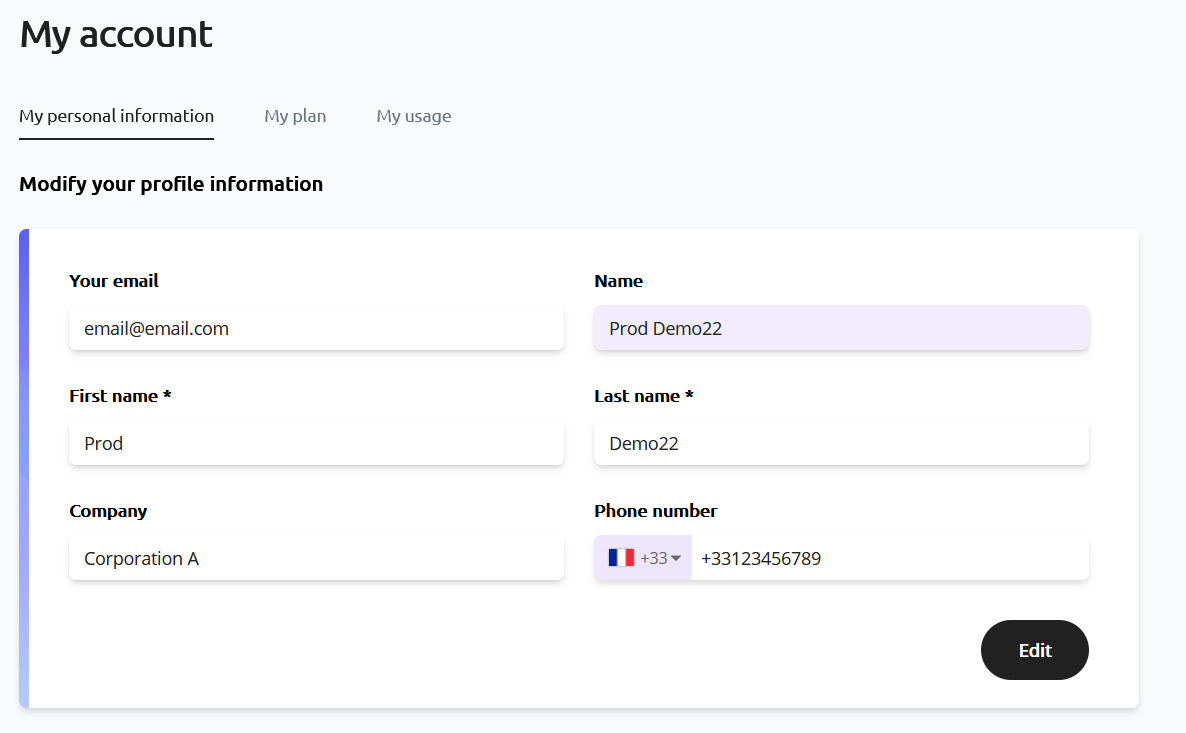
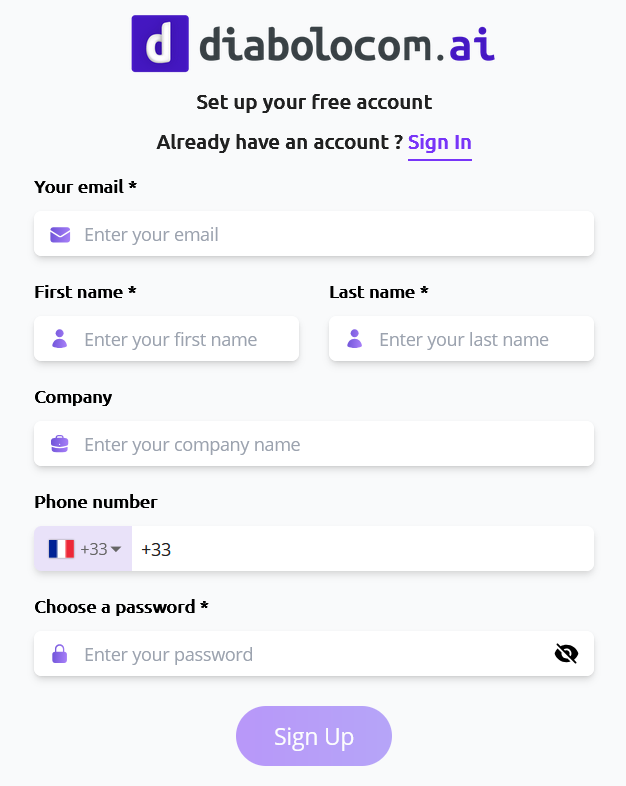
A user used to have the following attributes : email(*), name(*), company and website.

Website attribute is removed.
Phone number attribute is added (optional attribute) : E.164 format standard.
First name(*) and Last name(*) are added as mandatory user attributes.
The name attribute is no longer editable and is computed automatically based on First name and Last name attributes.

User profile page
Sign up page

Note 1 : For users that sign up using SSO (Google or Github), First name, Last name and Name attributes are prefilled by user info available. Check the details in this Clickup documentation

Note 2 : All user attributes are synced with Stripe customer attributes (in case of subscription handled by Stripe). Check the Clickup documentation for user attributes and Stripe sync

Jul 16, 2024

Internal

  • Complete tests in CI now on every Merge Request to develop/master for a stronger regression detection
  • Backend environment is now fully dockerisable, meaning it can be deployed for CI for example or as a complete new environment quickly
  • Export of customer usage to DBLC accounting XLSX file format was updated to be finer-grained
  • JWT Permissions check fixed not to crash if a permission in the token don't exist in the backend (mandatory for cross-services)
  • Analysis are now linked to a user (if from frontend/platform token) and the user's account, thus multiple user attached to the same account have access to all the account analysis from the call library/API
    - It also allows to add analysis to an existing job from another user of the same account
  • Usage tracking was updated to allow storing larger usage on accounts
Jul 16, 2024
  • Fixed an issue where the search bar would not properly overlap the interaction view
  • Global search was improved for clarity and simplicity. 
  • Sidebar design is more aligned with the rest of the Diabolocom AI Products (colors, icons, organization of sections + folds). 
  • AI Criterion options input is now a text area, not a simple text input
  • Proper translation strings have been added meaning that there will be no further mentions of "Manual Rules", or AND/OR instead of their proper translation.
  • Future native integration to CCaaS : a QM block for Engage scenarios is soon to be released using the same behavior as the AI Recording processing block

Check the video demonstration here

Jun 21, 2024
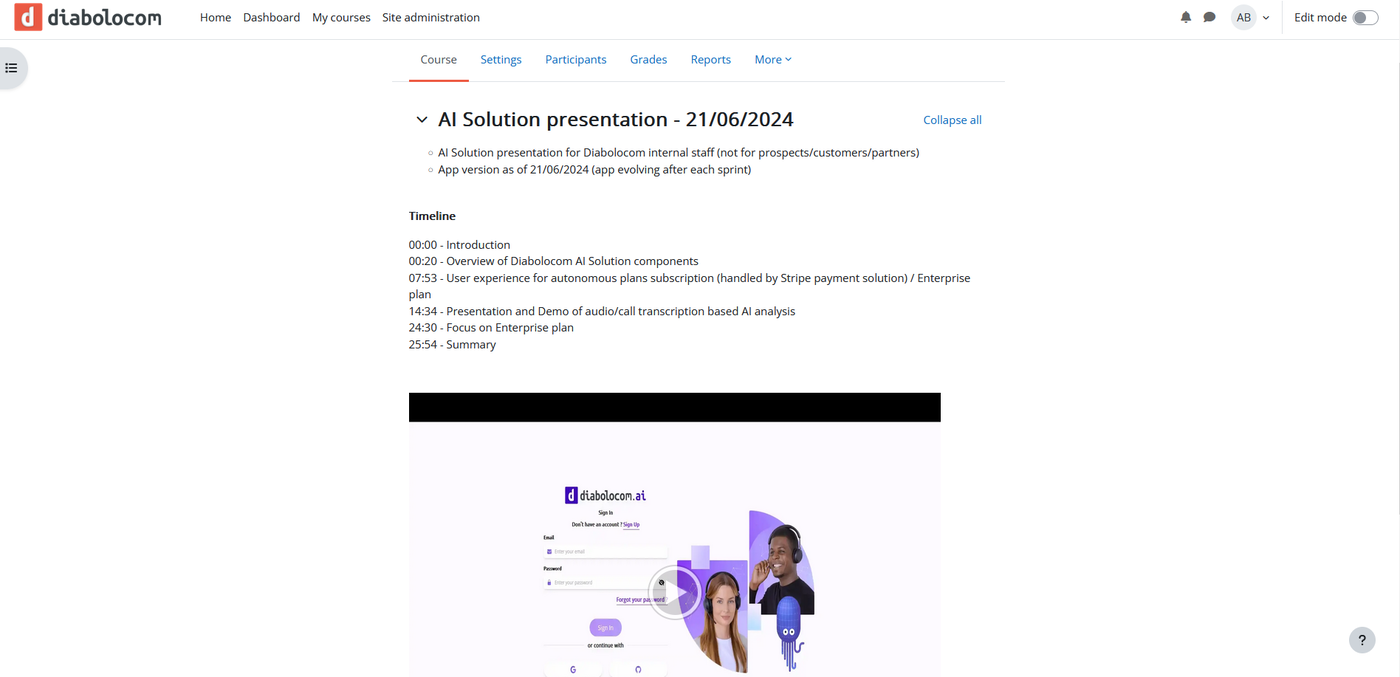
  • AI Solution presentation for Diabolocom internal staff (not for prospects/customers/partners)
  • App version as of 21/06/2024 (app evolving after each sprint)

Timeline
00:00 - Introduction
00:20 - Overview of Diabolocom AI Solution components
07:53 - User experience for autonomous plans subscription (handled by Stripe payment solution) / Enterprise plan
14:34 - Presentation and Demo of audio/call transcription based AI analysis
24:30 - Focus on Enterprise plan
25:54 - Summary

Check the training course "AI Solution Presentation" availabe here, Section : "AI Solution presentation - 21/06/2024" :

AI Solution presentation - 21/06/2024 (screenshot)

Watch the video below for AI Solution presentation :