This is the deployment of the more powerful model we had to rollback in October, now hidden behind a Feature Toggle that will allow us to roll it out customer per customer. For now, its activation is only possible for new customers (and it is activated by default for them). A migration for current customers will be coming soon.
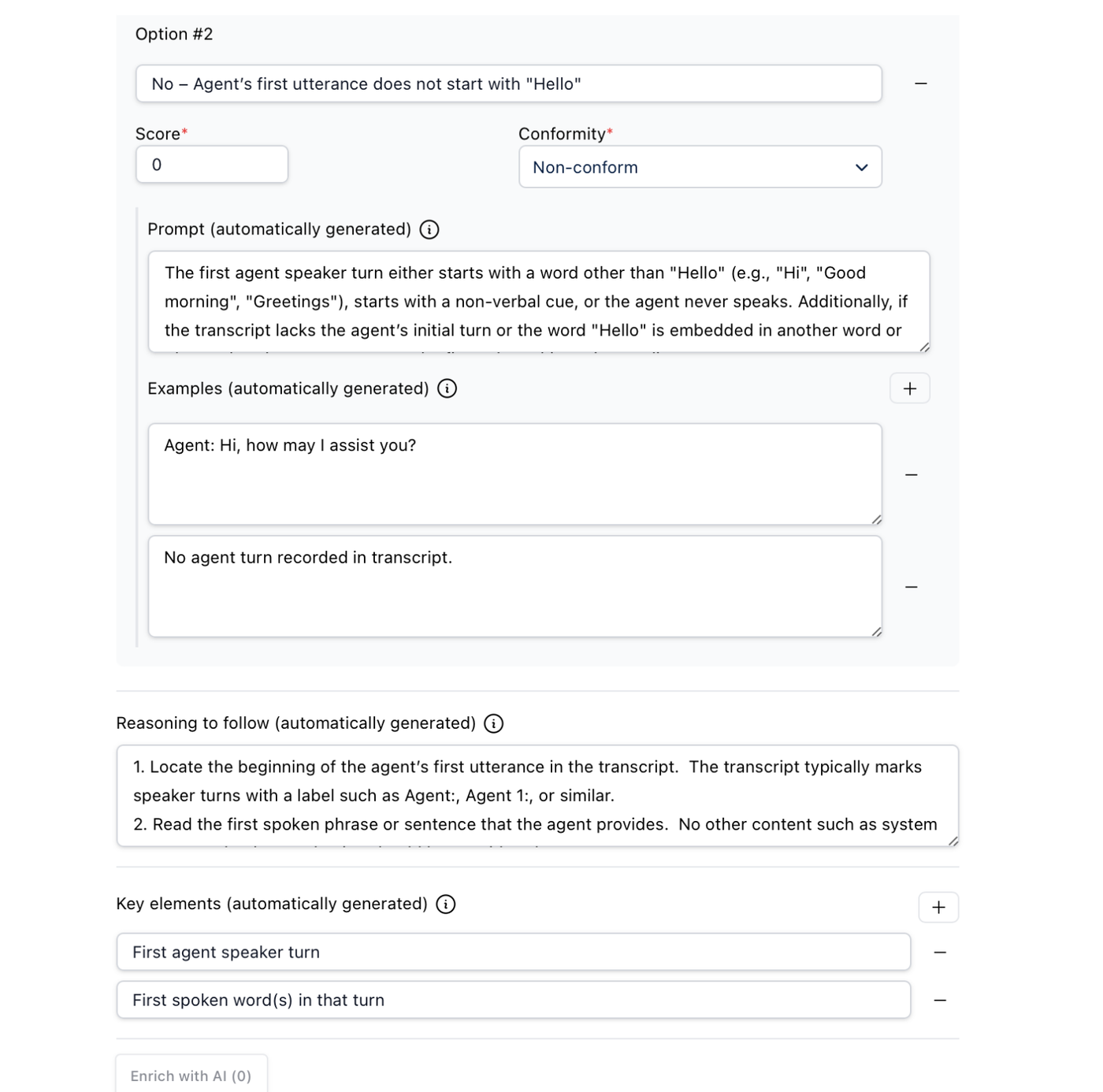
It comes with a new way of generating criteria: they are now enriched with AI, informing users on how their prompts were interpreted, and allowing them to make adjustments if needed. It should help our customers design powerful criteria, and result in more accurate evaluations.
This release has been rolled back. We'll keep you posted when the new model is available again on prod
More powerful model
We have deployed a new model for QM evaluations: it is more powerful, more accurate, and faster than the previous one, and should improve the performance of our evaluations.
It comes with a new way of generating criteria: they are now enriched with AI, informing users on how their prompts were interpreted, and allowing them to make adjustments if needed. It should help our customers design powerful criteria, and result in more accurate evaluations.
Bugfixes
We fixed an issue with the audio waveforms that were not displayed for mono audios and voicemails
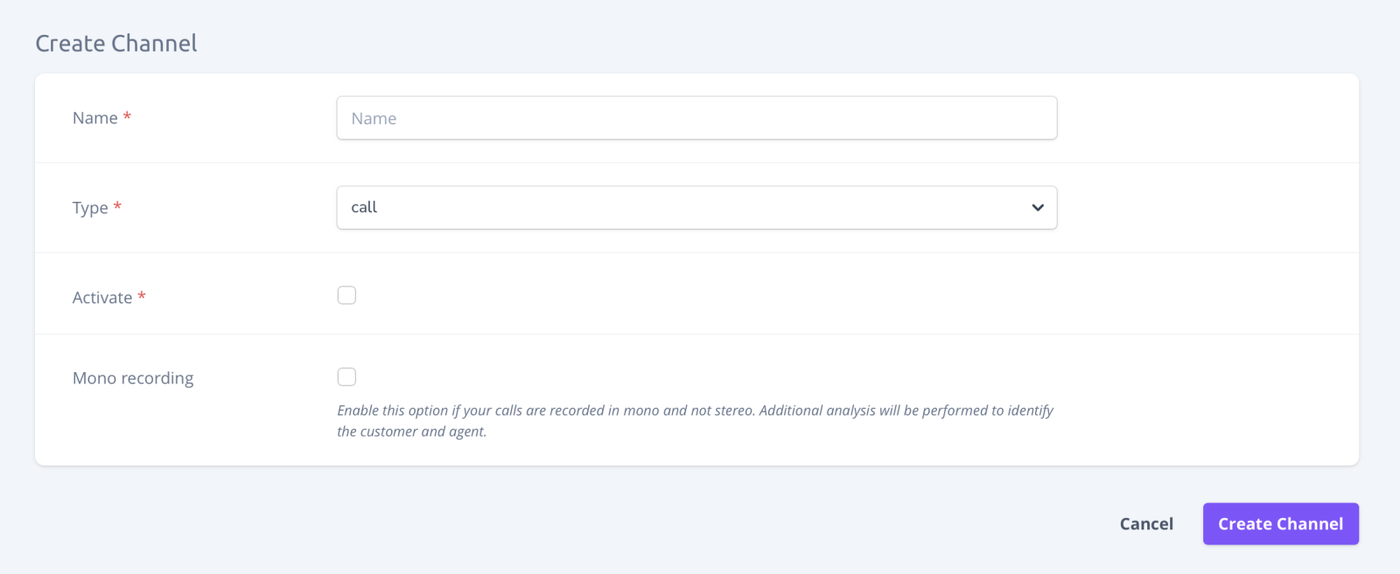
It is now possible for a customer to send mono files with multiple speakers over the QM. This option can be enabled at the channel level when selecting the "Call" type :
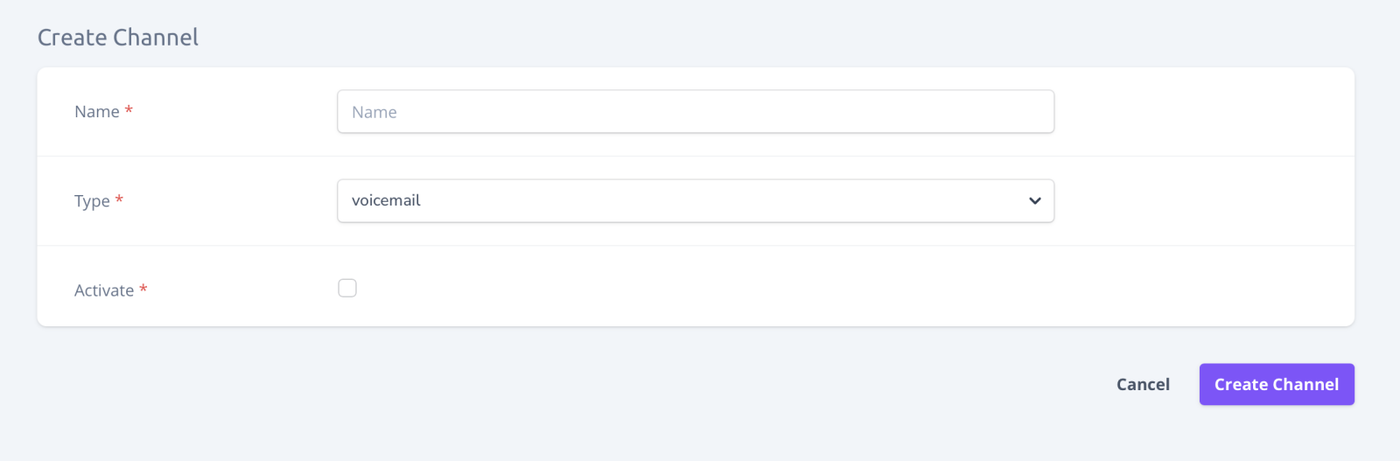
Voicemails are also properly handled and can be sent over a "Voicemail" channel:
Reviewed interactions
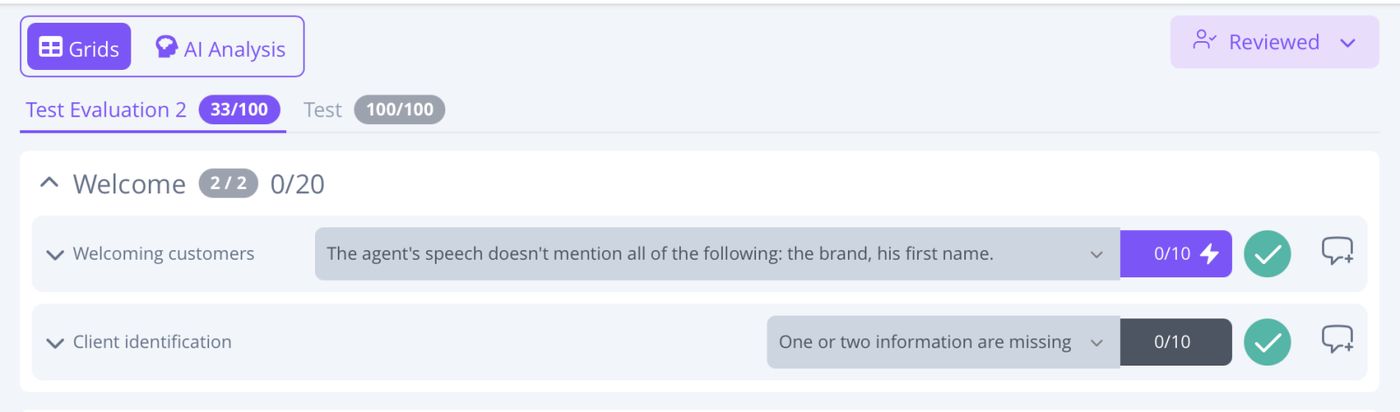
Supervisors can now indicate when they've reviewed an interaction, whether they changed any evaluations or not. This will be used to calibrate our model based on the ground-truths provided :
Quality of life features
It is now possible to delete interactions
The dashboard creator is now displayed
It is now possible to export an agent or team performance report
Bugfixes
The incomplete analyses have been removed from statistics
The “In production” checkbox has been removed from grid creation
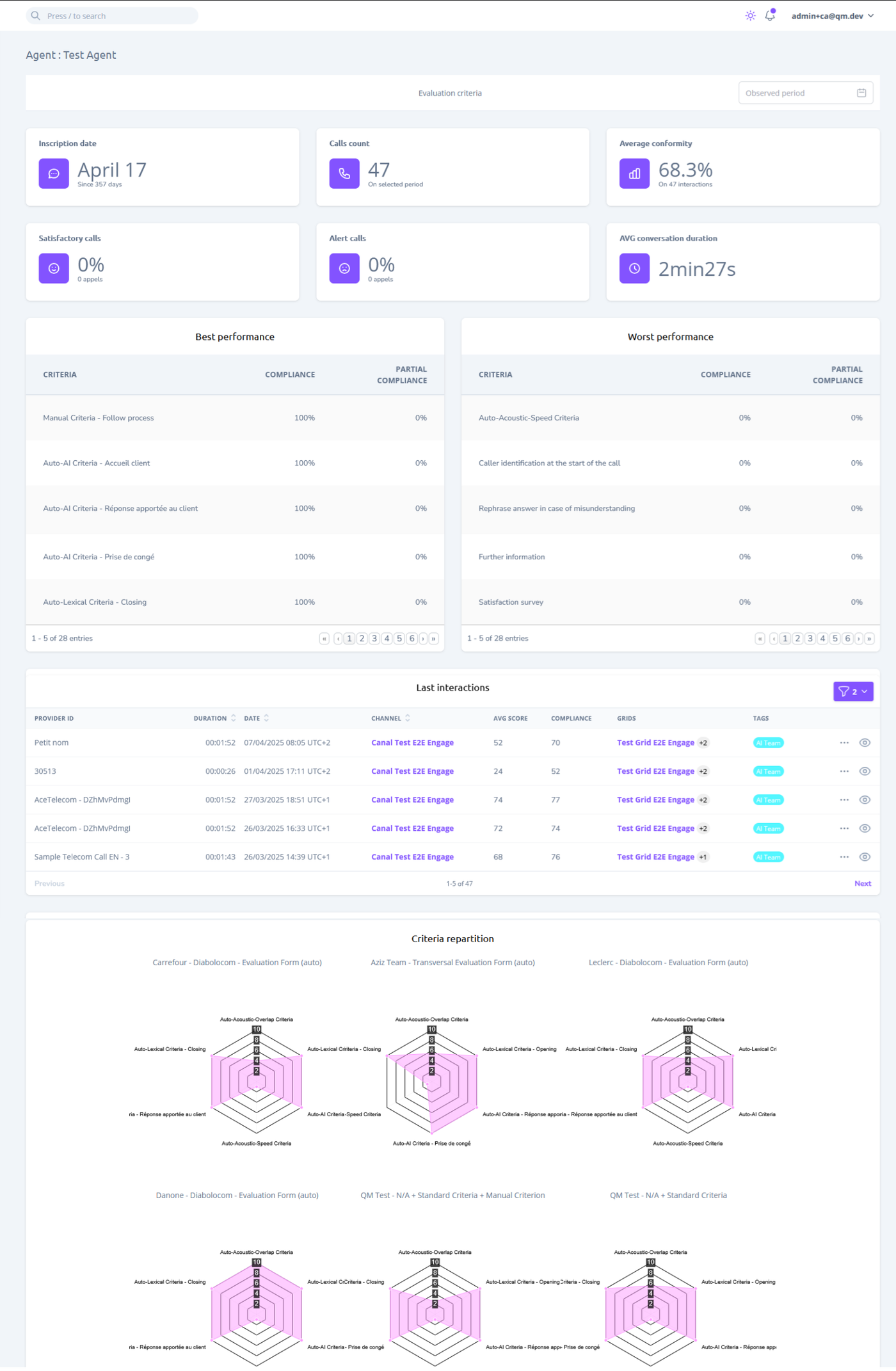
It is now possible to track team performance in a dedicated view. The displayed data is essentially the same as on the agent performance page, and includes:
Agent number
Number of calls processed on the period
Average Conformity
% of calls above 80% conformity
% of calls equal to 0% conformity
Average conversation duration
Best and worst criteria on the selected evaluation
Latest evaluations
The radars that we used to have for agents
A search bar is now available on the team and agent performance pages to filter items in the list
Customer platform duplication
It is now possible for a super admin to duplicate a customer platform in order to onboard new clients more efficiently based on a template platform or another customer platform.
The duplicated data includes:
Groups of criteria and criteria
Groups of evaluation grids and evaluation grids
Deployments
Lexical rules
Tags
Actions
Brands
Channels
User groups
Note that dashboards, users and interactions are not duplicated.
Quality of life features
It is now possible to leave a comment on an evaluation
It is now possible to delete a grid section
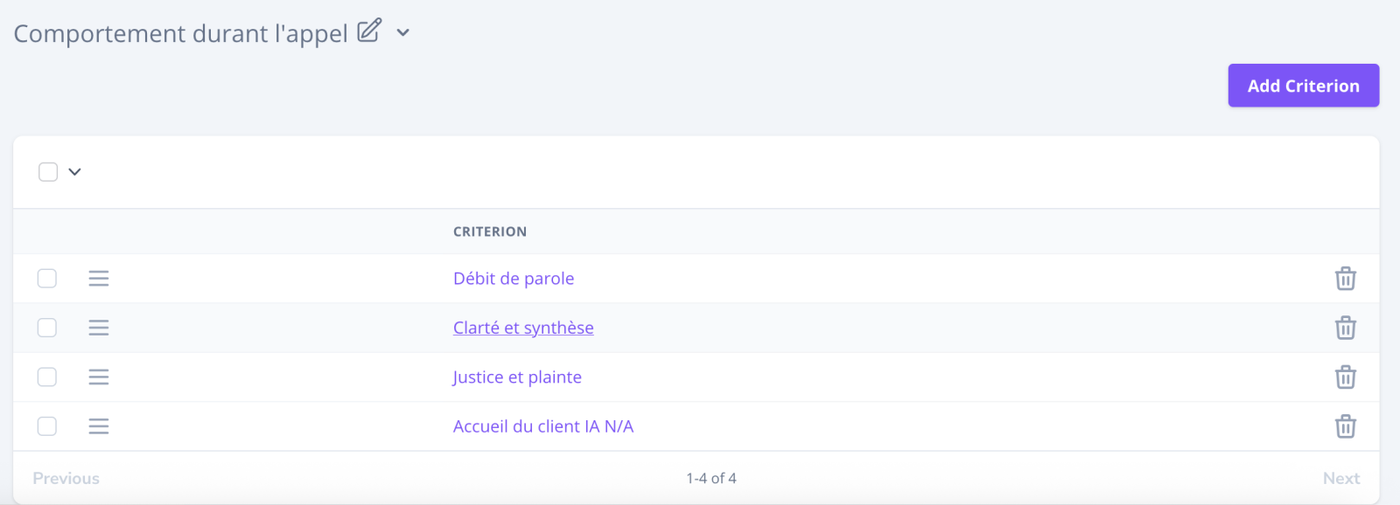
Criteria and evaluation grids are now organized into custom groups
The user groups associated with a deployment are now displayed in the deployment list
The “partially compliant” symbol has been replaced with a tilde (~) to avoid ambiguity
The error message in the option title input field (in criteria) has been improved to clearly indicate forbidden characters
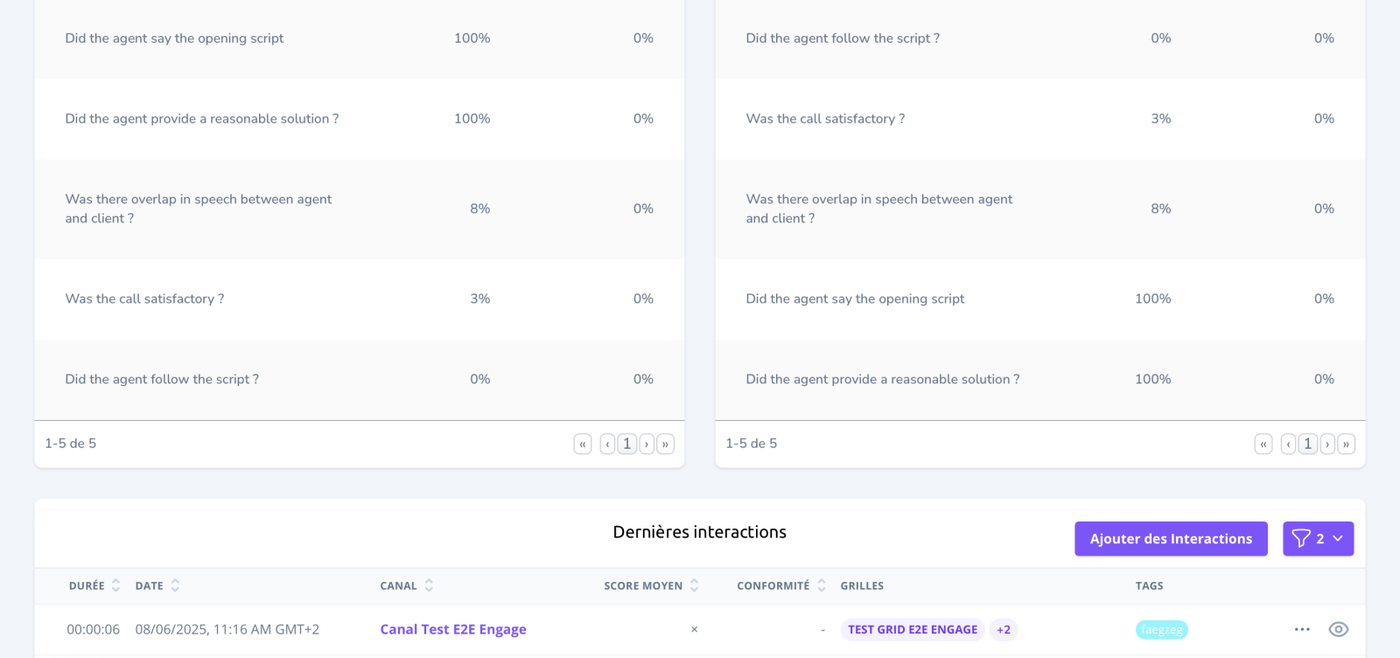
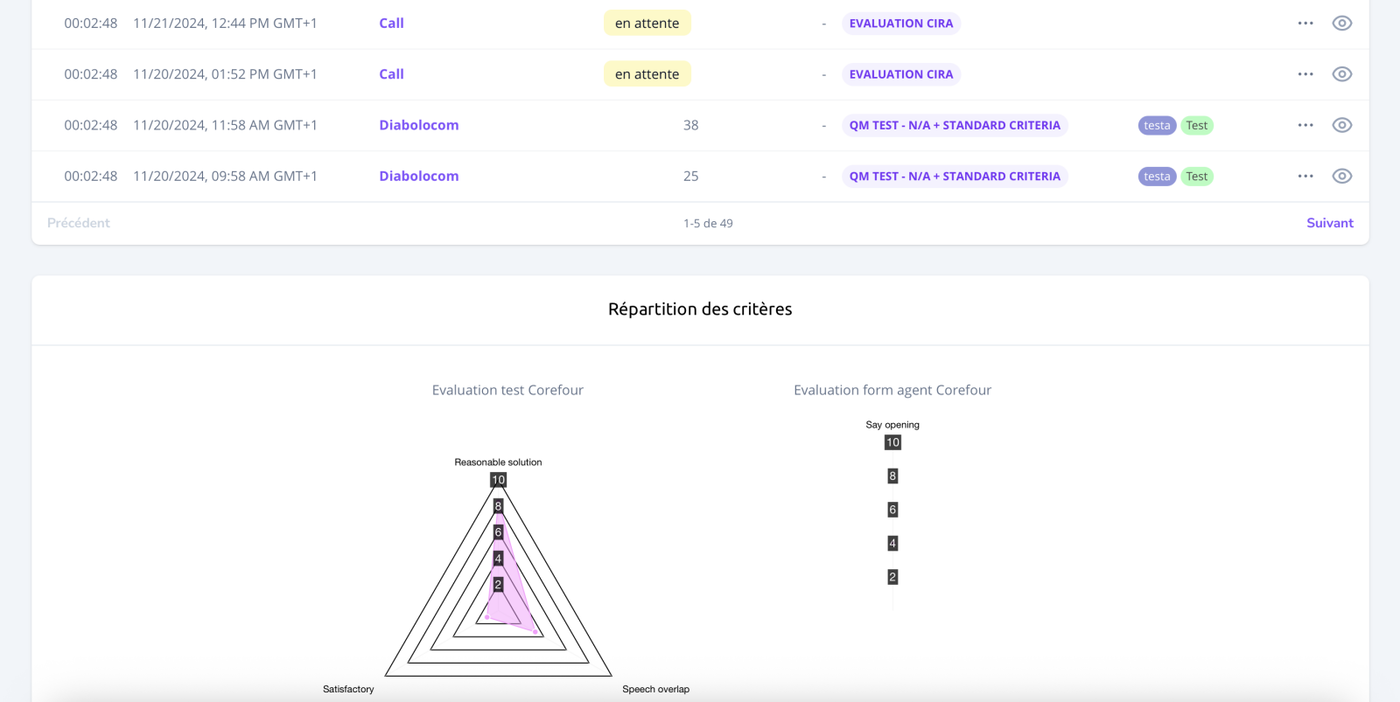
We made a substantial update to the agent performance page. It now includes :
Registration date
Number of calls processed on the period
Average Conformity
% of calls above 90% conformity
% of calls under 10% conformity
Average conversation duration
Best and worst criteria on the selected evaluation
Latest evaluations
The radars that we used to have
Production and Calibration Modes for Grids
It is now possible to put grids in "calibration mode". If the grid is not set in production mode, it can be modified even after evaluations are sent in.
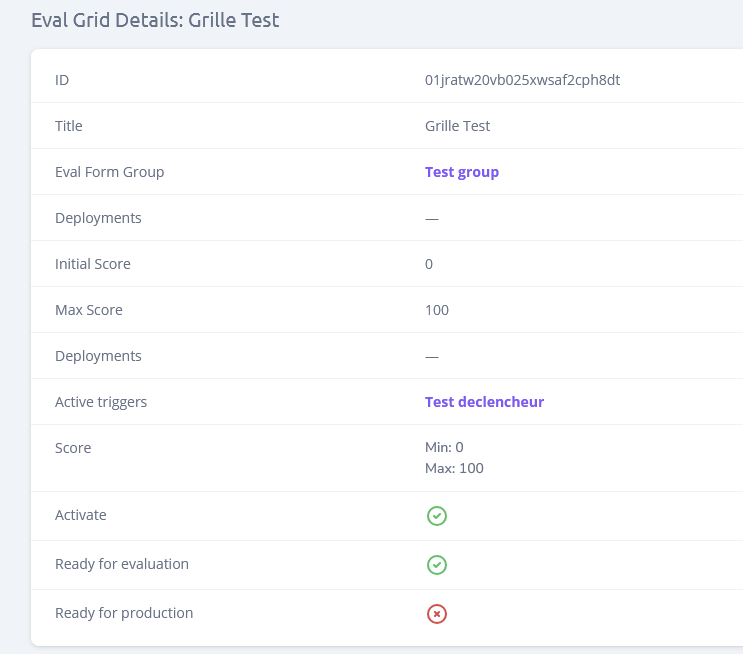
When creating a grid, if you do not check the "Ready For Production" checkbox, then the grid will still be editable after sending evaluations through.
When not in production, it is possible to ask for a complete re-evaluation of the grid on all previous interactions using the actions menu on the top right.
After putting the grid in production, it will become read-only.
Asynchronous JSON Exports
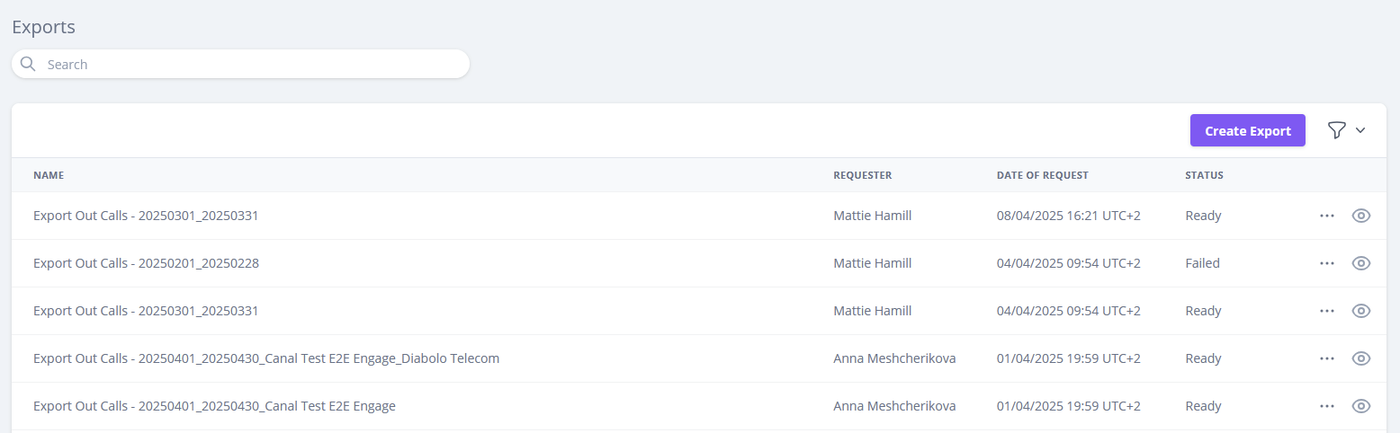
It is now possible to export interaction data as a JSON file for large amounts of interactions
After selecting the scope of the export, you will receive a notification whenever the export is ready to download.
Criteria groups
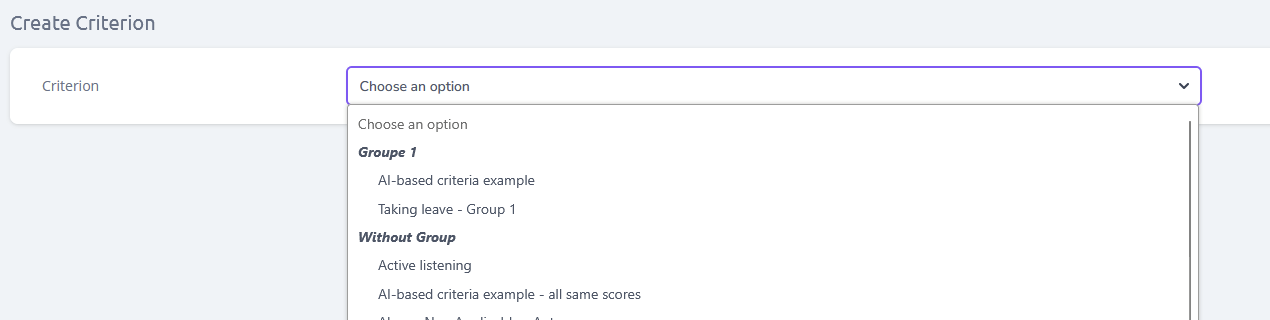
It now possible when creating criterion to add them in groups to sort them when adding criteria to grids.
Various improvements
Interaction list now displays the compliance of all new interactions
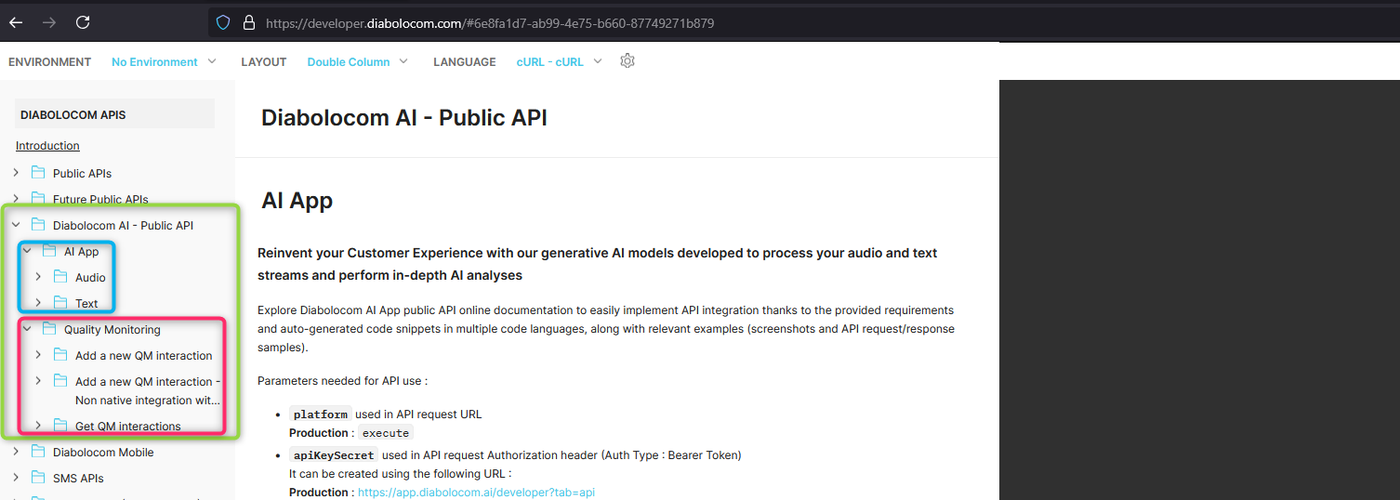
The Public API documentation link is also available in AI App home page and AI models pages.
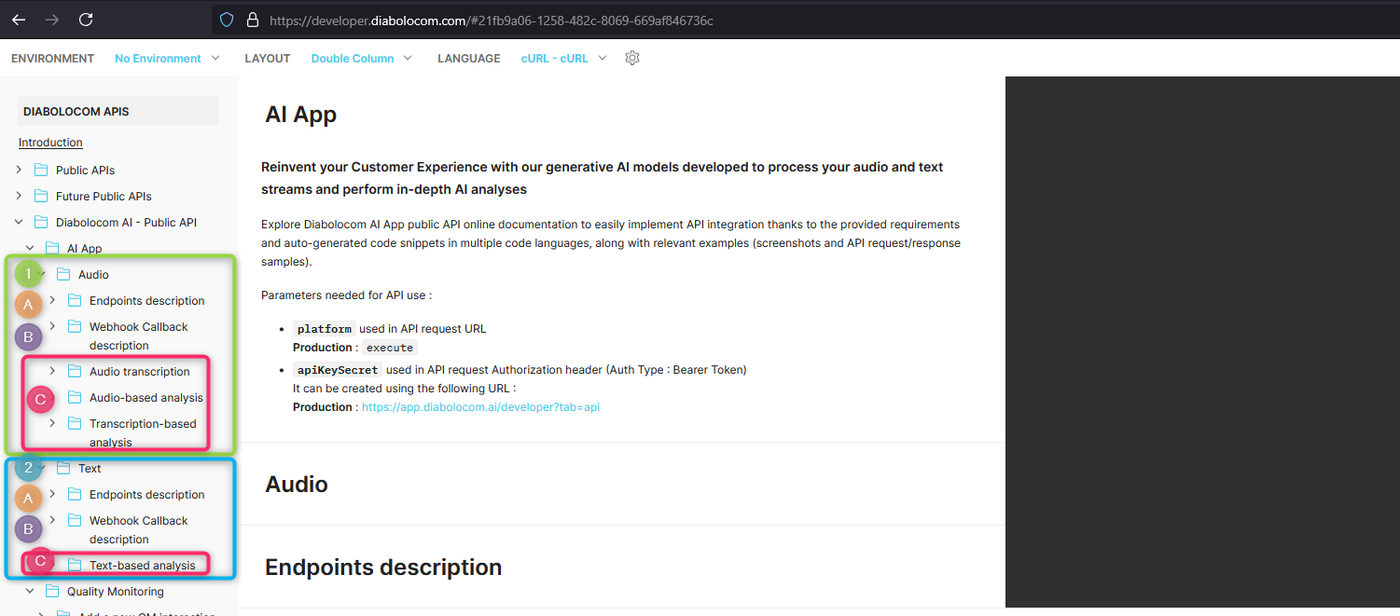
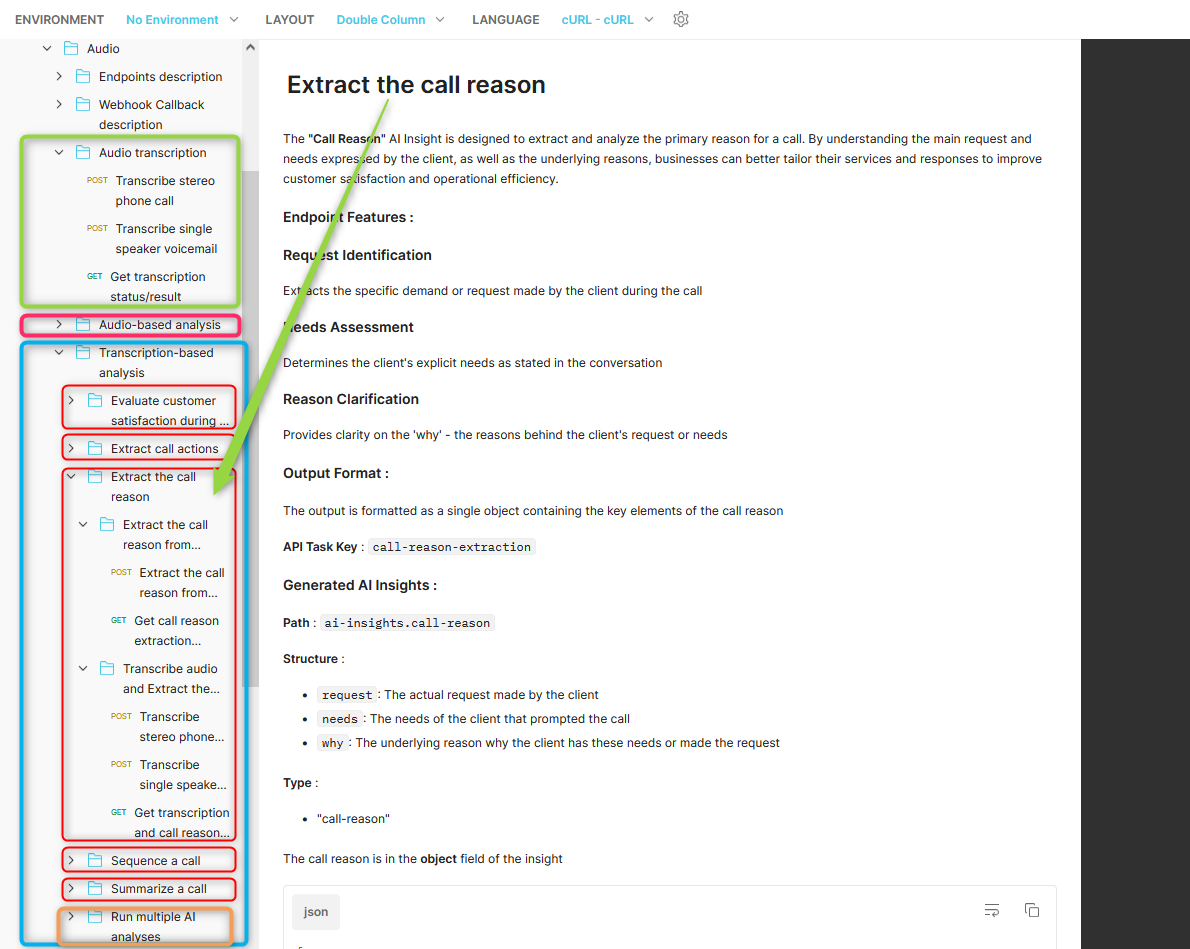
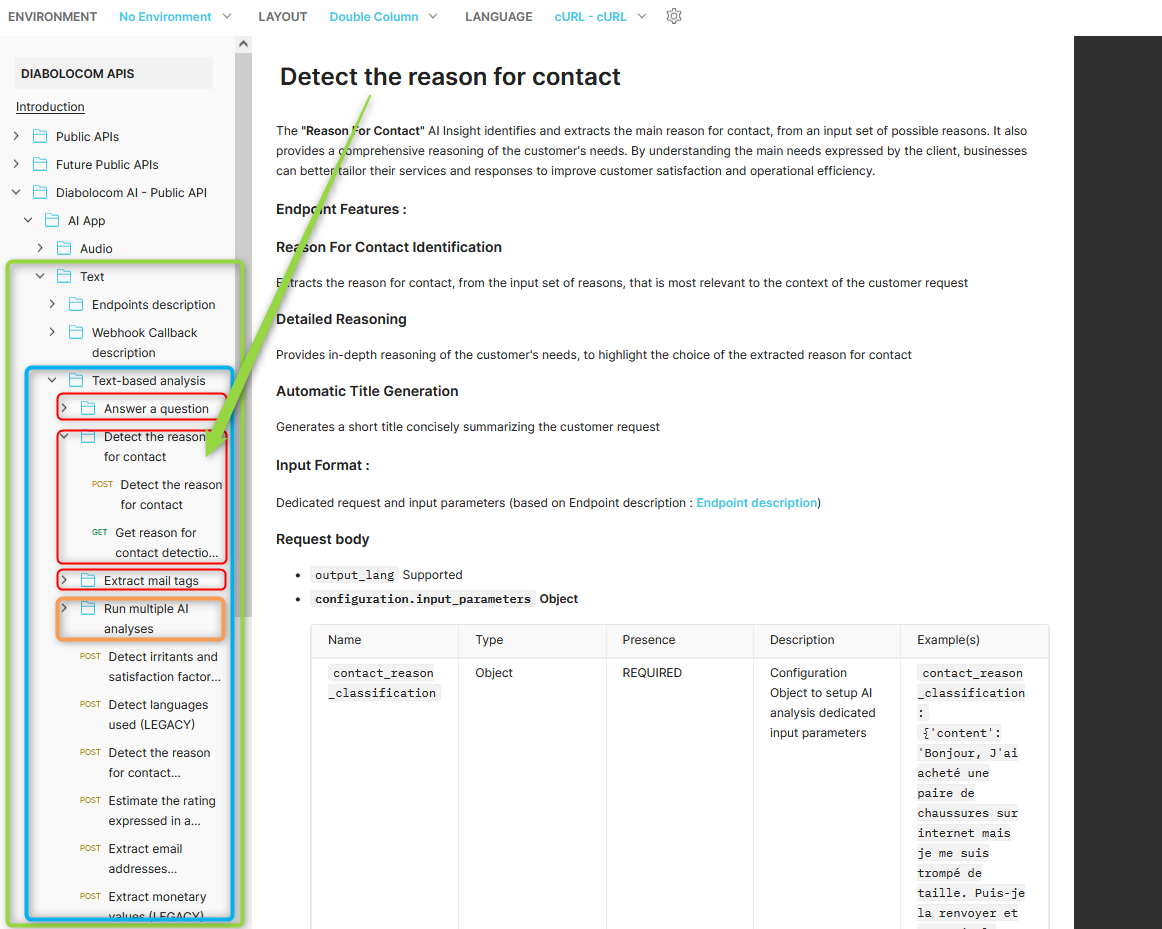
Description :
Parameters required for API use
Endpoints and requests description
Query parameters
Request headers
Request body type and content parameters
Response body type and content parameters
Example requests
(1) Audio -> Dedicated for audio streams
(A) Endpoints description
api/job/tasks | form-data -> Run AI task based on audio (form-data payload) : Relevant for Standalone use case (audio file import)
api/job/tasks | json -> Run AI task based on audio (json payload) : Relevant for Public API Integration with Diabolocom CCaaS (voice) (for performing AI analyses on existing transcription job)
We made some adjustments on the evaluation methods of our models. We are starting to use a more statistics-oriented approach to have even better precision, and we adapted the prompting techniques to make sure the model is more efficient.
As a result, most of the issues linked to both reasoning <> option chosen coherency and non applicability have been fixed.
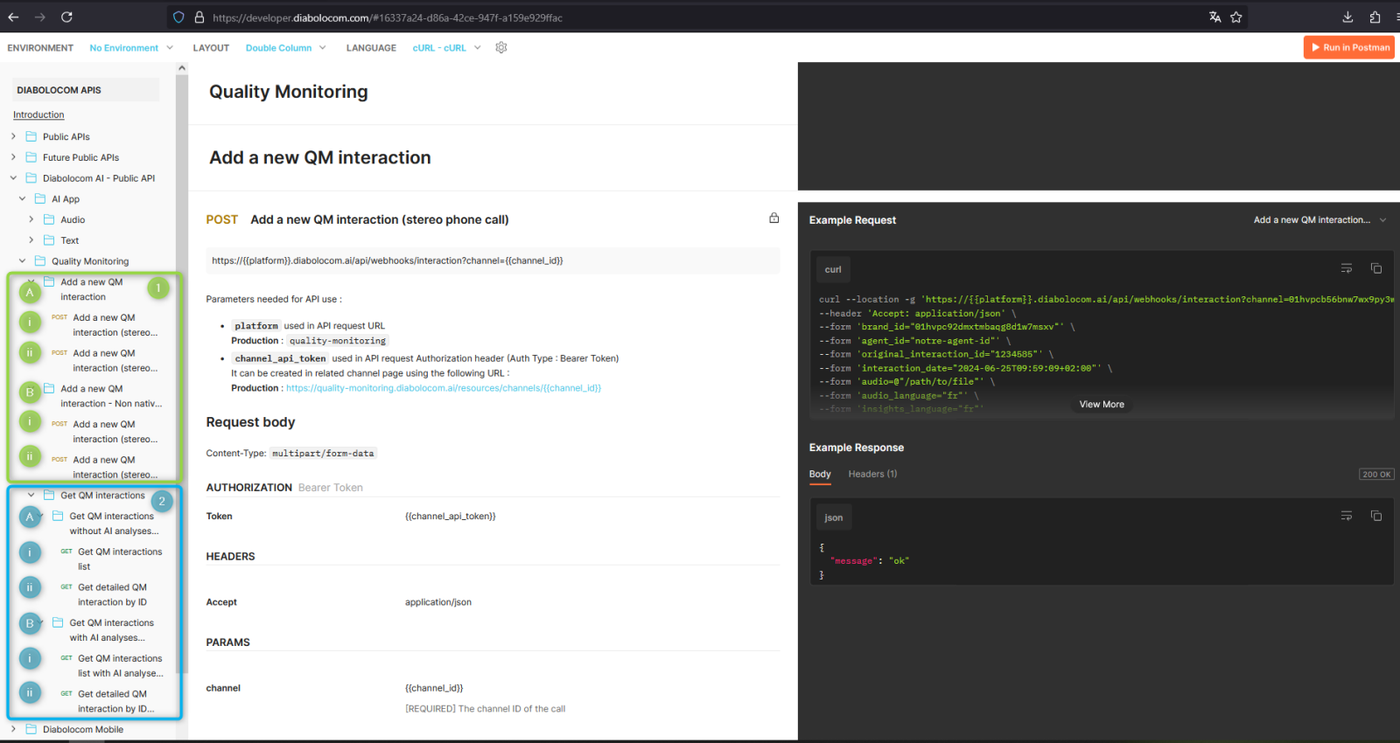
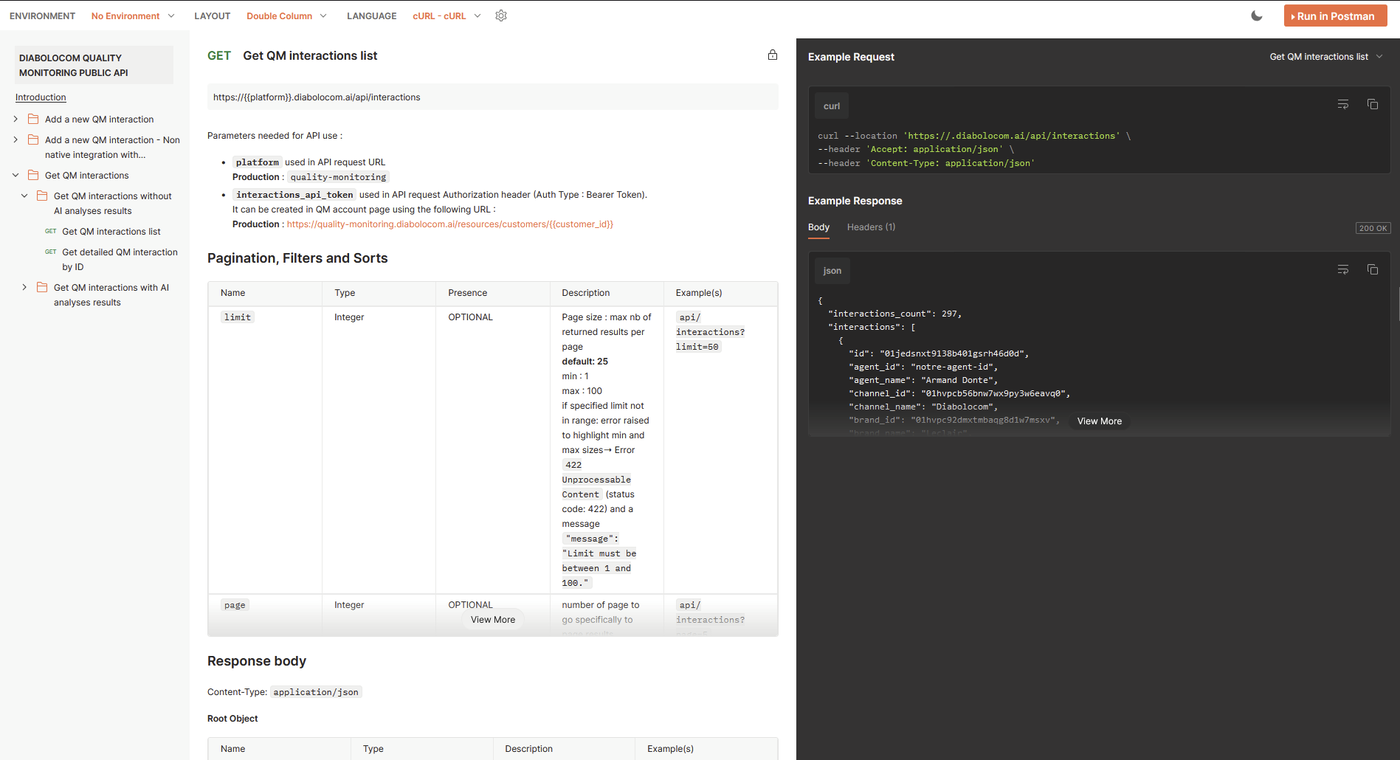
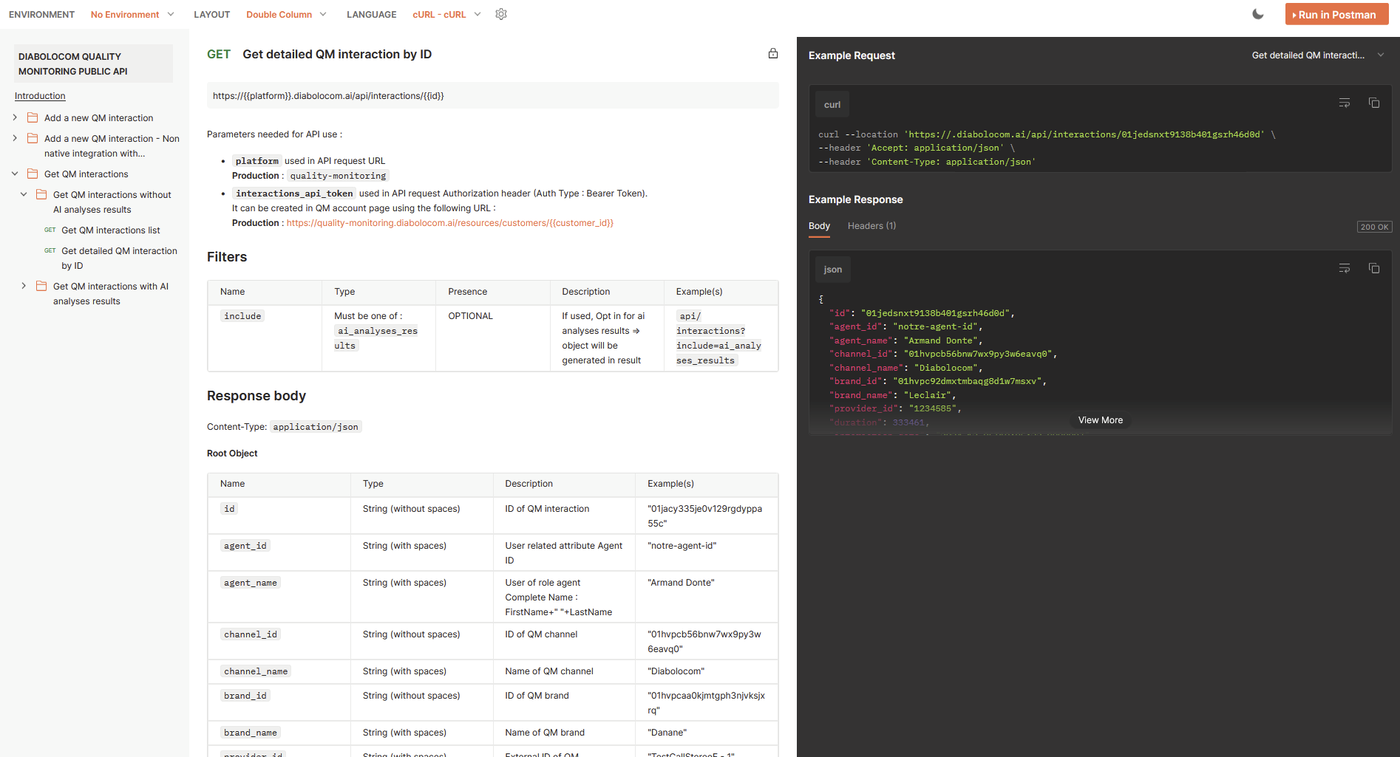
Release of the first public API Endpoints for the Diabolocom QM
It is now possible to request via API a filtered list of interactions and the details of a single interaction. Available contents are both the QM analysis and the AI analysis (summary, tags etc).
A new page called "My account" was created to manage authentication tokens in order to access the Public API. On that page you can create a token to authenticate your requests.
On each endpoint you can filter by multiple fields, from interaction date, brands and channels to language, scoring duration and many more.
This is very useful for clients to extract QM interactions data, along with AI analyses, for data analysis and automation processes (BI, integrations...)
The complete documentation is available in Clickup or as a Postman collection there.
Get QM Interactions list Get QM detailed interaction by ID
Quality of life updates
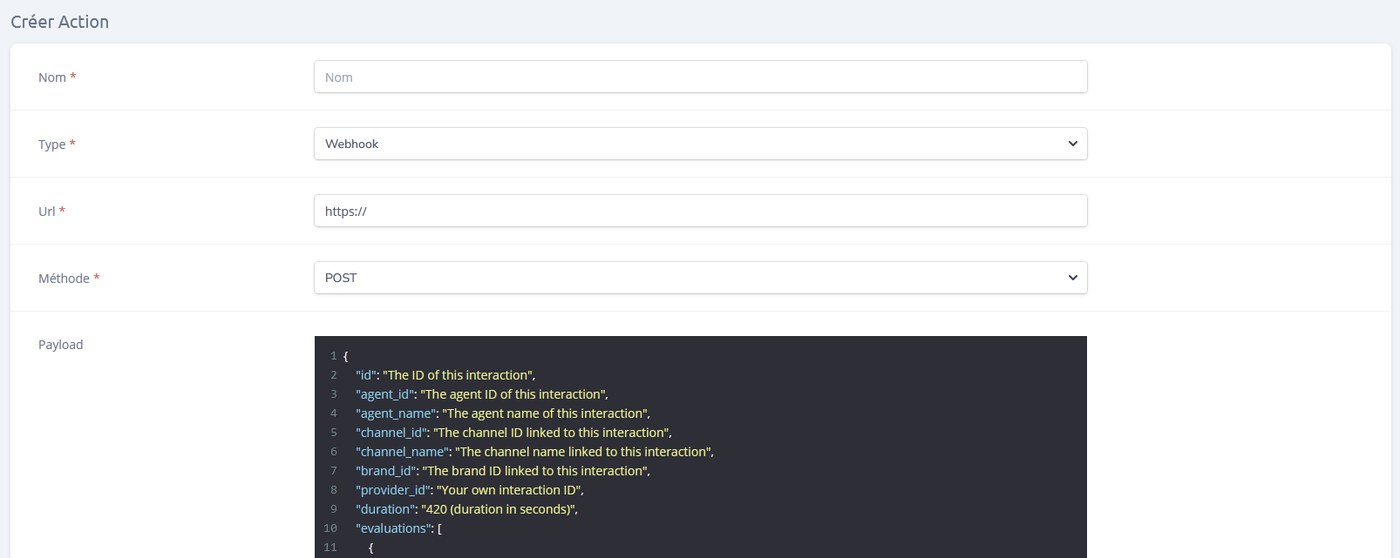
We now display the payload format when configuring actions.
Payload format
We reworked the user table to make it display the user ID (and not the internal ID), and changed the order of the columns.
We changed the names of the AI analysis sections to make it more human friendly and removed references to sentiments.
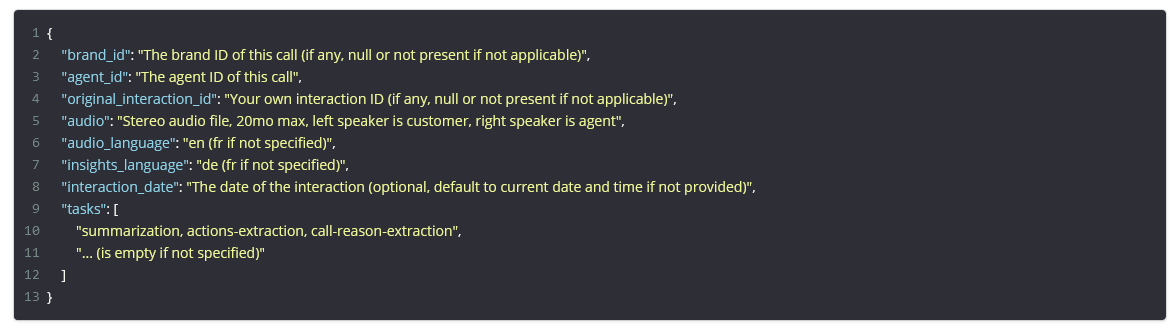
It is now possible to specify the interaction date in the API payload when sending over recordings.
This new optional parameter allows to specify the date and time when the interaction happened. If this parameter is not specified, it will default instead to the ingestion date, like it was the case before.
The "add interaction" UI functionality also benefits from this feature.
This will be deployed on SFTP later.
This is very useful in the case a client wants to upload all calls at the end of the day while retaining the exact time of the interaction in the QM system. It also allows us to create more accurate data for statistics on demo platforms.
Payload example in the channels page has been updated
Bugfix:
We fixed an issue where some criteria could not be re-evaluated when the AI chose the "Non Applicable" option.
Security Fixes:
We also applied security fixes to help us reduce the amount of information sent to the front end of the solution.